Delivery note template
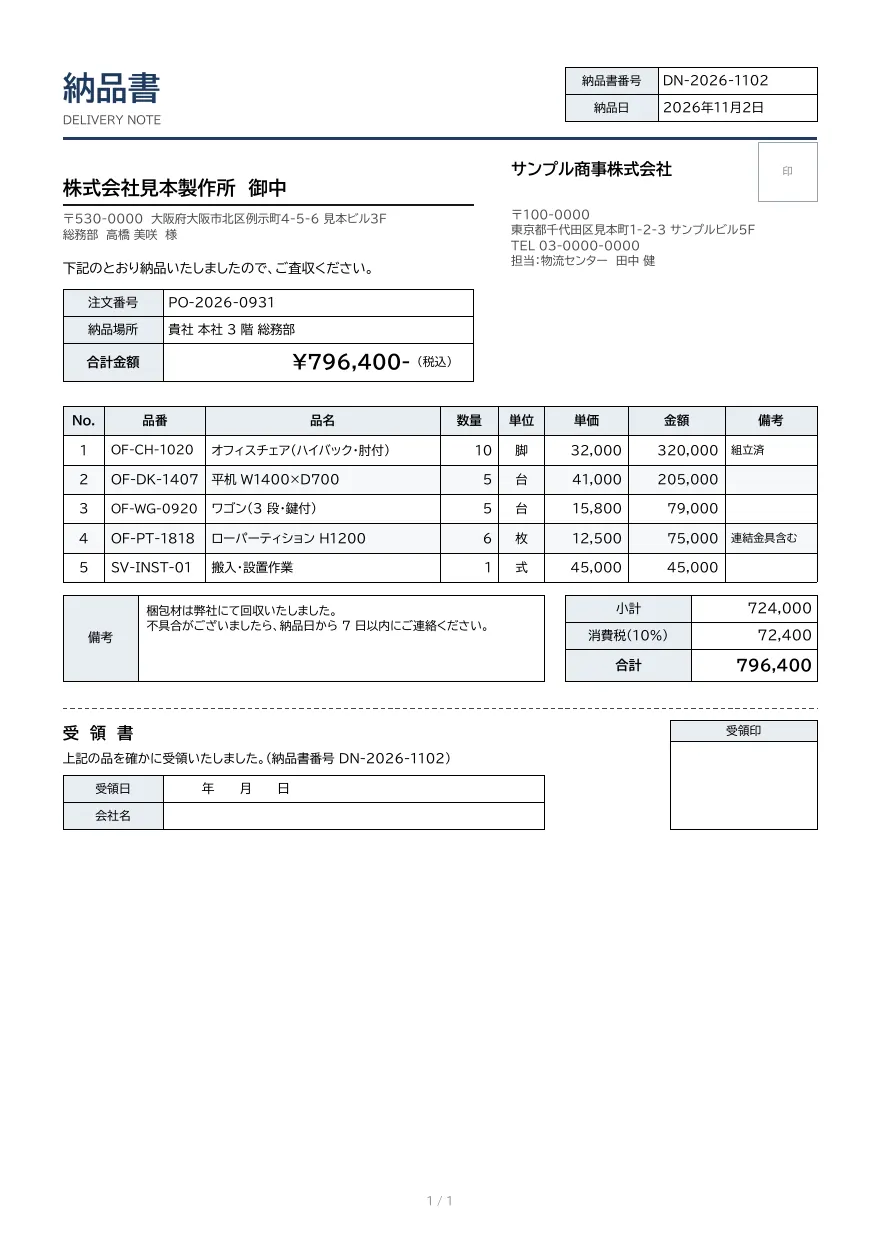
A delivery note with order number, delivery location, line items with product codes and remarks, totals, and a detachable acknowledgment of receipt.
- Company names, people, addresses and amounts in the sample are fictional.
- The sample layout is in Japanese. You can change any text in the template editor.
Use cases
- Documents enclosed with shipments
- Bulk issuance from inventory or shipping systems
- Confirming delivery with a receipt stamp
Merge fields
The data fields you send to the API. Fields inside an array are shown as array.field.
| Field | Description |
|---|---|
number | Delivery note number |
delivered_at | Delivery date (YYYY-MM-DD) |
customer.name | Customer company name |
customer.postal_code | Customer postal code |
customer.address | Customer address |
customer.person | Customer contact name |
order_number | Order number |
place | Delivery location |
total | Total including tax |
issuer.name | Issuer company name |
issuer.postal_code | Issuer postal code |
issuer.address | Issuer address |
issuer.tel | Issuer phone number |
issuer.contact | Contact person |
items | Line items (array) |
items.no | Line number |
items.code | Product code |
items.name | Item name |
items.qty | Quantity |
items.unit | Unit |
items.price | Unit price |
items.amount | Amount |
items.remark | Line remark |
subtotal | Subtotal |
tax_rate | Tax rate (e.g. 10%) |
tax | Consumption tax |
note | Notes |
How to use it
- In the dashboard, choose Create template, select "Start from a template" and pick "Delivery note". The layout and sample data are copied into your project.
- Edit the company name, logo and field positions in the template editor to match your own format.
- Send the template name and data to
POST /v1/rendersto issue a PDF.
With a test API key (sk_test_) you can issue documents from the draft. Publish a version before issuing with a production API key. From an AI assistant, specify the same template in the from of the MCP create_template tool.
Create and issue via the API
Create a template by setting from to the template ID (delivery-note) in POST /v1/templates, then send the template name and data to POST /v1/renders.
1. Create a template from the ready-made one
curl https://api.docrelay.jp/v1/templates \
  -H "Authorization: Bearer $DOCRELAY_API_KEY" \
  -H "Content-Type: application/json" \
  -d '{ "name": "Delivery note", "from": "delivery-note" }'
2. Send data and issue a PDF
curl https://api.docrelay.jp/v1/renders \
  -H "Authorization: Bearer $DOCRELAY_API_KEY" \
  -H "Content-Type: application/json" \
  -d @delivery-note.json \
  -o delivery-note.pdf
delivery-note.json (sample data; arrays show the first item and long text is shortened)
{
  "template": "Delivery note",
  "format": "pdf",
  "data": {
    "number": "DN-2026-1102",
    "delivered_at": "2026-11-02",
    "customer": {
      "name": "株式会社見本製作所",
      "postal_code": "530-0000",
      "address": "大阪府大阪市北区例示町4-5-6 見本ビル3F",
      "person": "総務部 高橋 美咲"
    },
    "order_number": "PO-2026-0931",
    "place": "貴社 本社 3 階 総務部",
    "issuer": {
      "name": "サンプル商事株式会社",
      "postal_code": "100-0000",
      "address": "東京都千代田区見本町1-2-3 サンプルビル5F",
      "tel": "03-0000-0000",
      "contact": "物流センター 田中 健"
    },
    "items": [
      {
        "no": 1,
        "code": "OF-CH-1020",
        "name": "オフィスチェア(ハイバック・肘付)",
        "qty": 10,
        "unit": "脚",
        "price": 32000,
        "amount": 320000,
        "remark": "組立済"
      }
    ],
    "subtotal": 724000,
    "tax_rate": "10%",
    "tax": 72400,
    "total": 796400,
    "note": "梱包材は弊社にて回収いたしました。…"
  }
}More templates in Sales & billing
Invoice
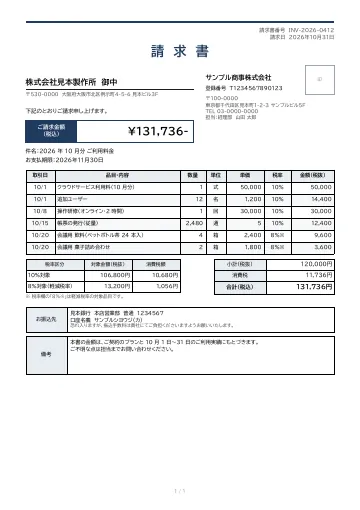
An invoice with dated line items and tax rates, totals and consumption tax by rate, and bank details.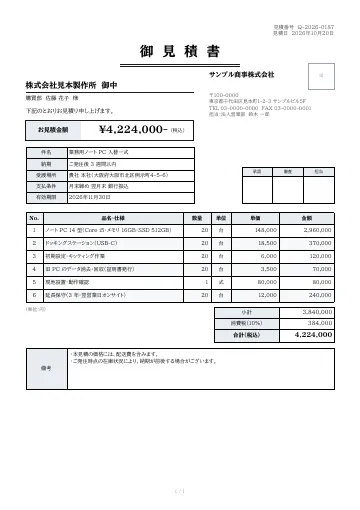
Quotation
A quotation with subject, delivery date, delivery location, payment terms and validity period, plus approval stamp boxes.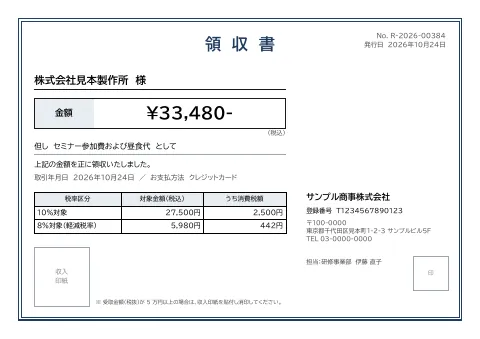
Receipt
An A5 landscape receipt with description, transaction date, amounts and consumption tax by rate, issuer registration number, and a box for a revenue stamp.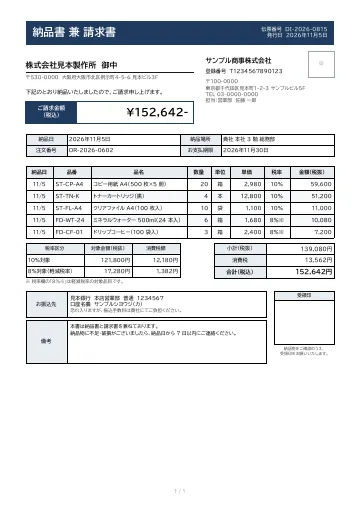
Delivery note and invoice
A combined delivery note and invoice with delivery date and location, payment due date, dated line items with tax rates, totals and consumption tax by rate, bank details, and a receipt stamp box.
Early access is open
We are preparing for launch. Pre-register and we will notify you when the service becomes available.