Certificate of enrollment template
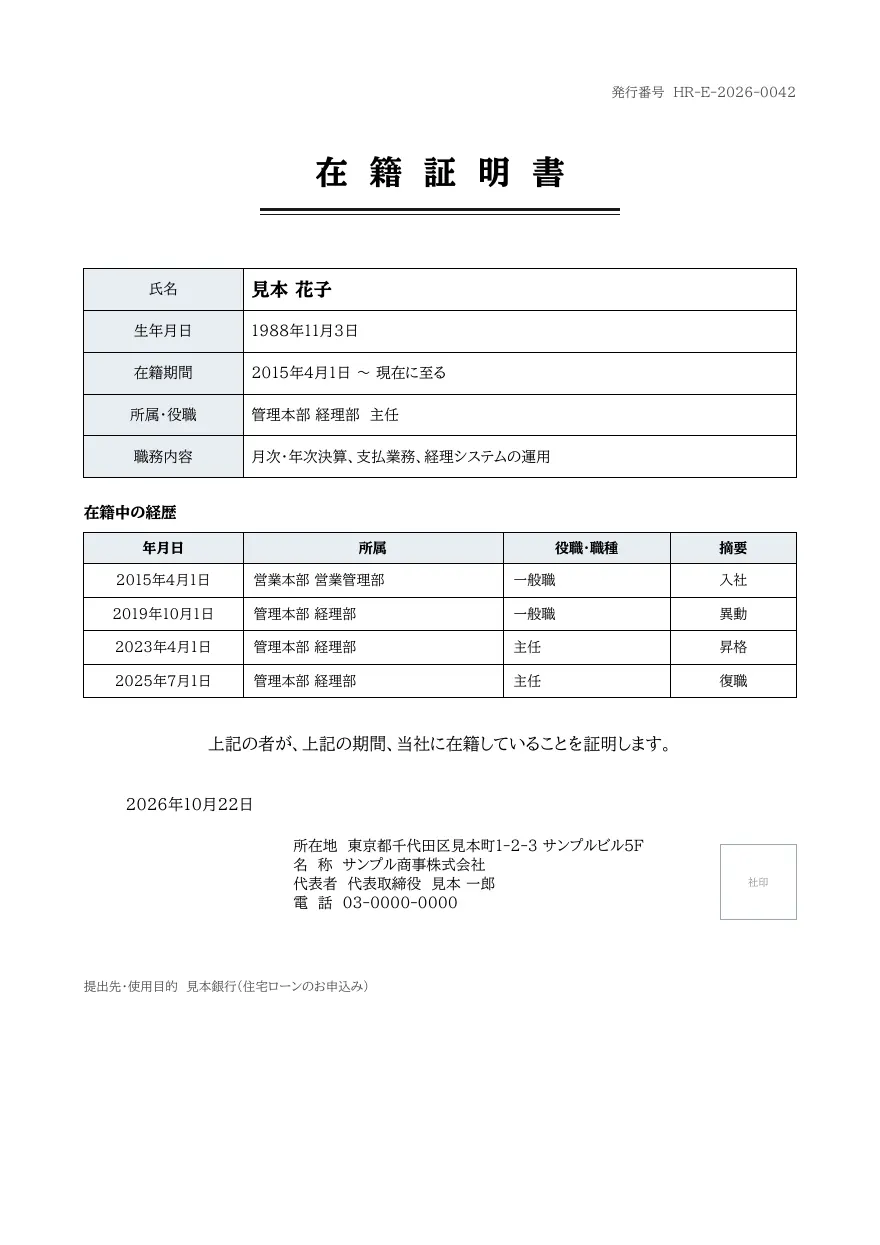
A certificate of enrollment with fields for name, date of birth, period of enrollment, department and title, and duties, a table of career history (hiring, transfers, promotions), a certifying statement, and issuer details with a company seal box. The sections below move up to fit the number of history rows.
- Company names, people, addresses and amounts in the sample are fictional.
- The sample layout is in Japanese. You can change any text in the template editor.
Use cases
- Proof of enrollment for a new employer or bank
- Certifying staff on leave or on secondment
- Issuing from transfer history in an HR system
Merge fields
The data fields you send to the API. Fields inside an array are shown as array.field.
| Field | Description |
|---|---|
number | Certificate number |
employee.name | Employee name |
employee.birth_date | Date of birth (YYYY-MM-DD) |
period.from | Enrolled from (YYYY-MM-DD) |
period.to | Enrolled until (e.g. present) |
employee.department | Department |
employee.position | Title |
employee.duties | Duties |
history | Career history (array) |
history.date | Date (YYYY-MM-DD) |
history.department | Department |
history.position | Title or job type |
history.note | Note (hired, transfer, promotion) |
issued_at | Issue date (YYYY-MM-DD) |
company.address | Company address |
company.name | Company name |
company.representative | Representative title and name |
company.tel | Phone number |
purpose | Submitted to or purpose |
How to use it
- In the dashboard, choose Create template, select "Start from a template" and pick "Certificate of enrollment". The layout and sample data are copied into your project.
- Edit the company name, logo and field positions in the template editor to match your own format.
- Send the template name and data to
POST /v1/rendersto issue a PDF.
With a test API key (sk_test_) you can issue documents from the draft. Publish a version before issuing with a production API key. From an AI assistant, specify the same template in the from of the MCP create_template tool.
Create and issue via the API
Create a template by setting from to the template ID (enrollment-certificate) in POST /v1/templates, then send the template name and data to POST /v1/renders.
curl https://api.docrelay.jp/v1/templates \
  -H "Authorization: Bearer $DOCRELAY_API_KEY" \
  -H "Content-Type: application/json" \
-d '{ "name": "Certificate of enrollment", "from": "enrollment-certificate" }'curl https://api.docrelay.jp/v1/renders \
-H "Authorization: Bearer $DOCRELAY_API_KEY" \
-H "Content-Type: application/json" \
-d @enrollment-certificate.json \
-o enrollment-certificate.pdf{
"template": "Certificate of enrollment",
"format": "pdf",
"data": {
"number": "HR-E-2026-0042",
"employee": {
"name": "見本 花子",
"birth_date": "1988-11-03",
"department": "管理本部 経理部",
"position": "主任",
"duties": "月次・年次決算、支払業務、経理システムの運用"
},
"period": {
"from": "2015-04-01",
"to": "現在に至る"
},
"history": [
{
"date": "2015-04-01",
"department": "営業本部 営業管理部",
"position": "一般職",
"note": "入社"
}
],
"issued_at": "2026-10-22",
"company": {
"address": "東京都千代田区見本町1-2-3 サンプルビル5F",
"name": "サンプル商事株式会社",
"representative": "代表取締役 見本 一郎",
"tel": "03-0000-0000"
},
"purpose": "見本銀行(住宅ローンのお申込み)"
}
}More templates in HR & labor
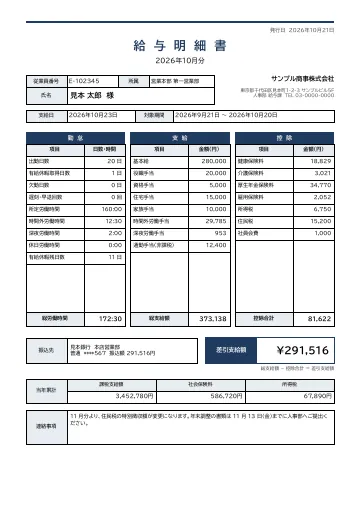
Payslip
A payslip with employee number, department, name, pay date and pay period, three blocks for attendance, earnings and deductions, net pay, bank transfer details and year-to-date totals.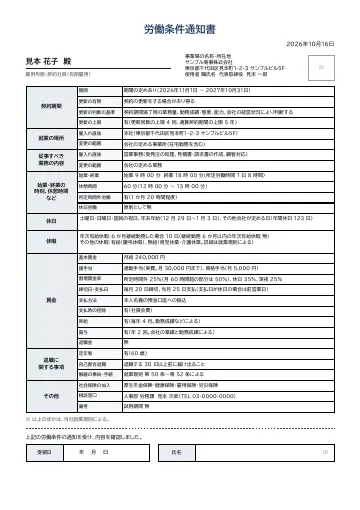
Notice of employment terms
A notice of employment terms with fields for contract period (renewal criteria and limits), place of work and duties (including scope of change), working hours and breaks, holidays, leave, wages and termination, plus a signature box for acknowledgment.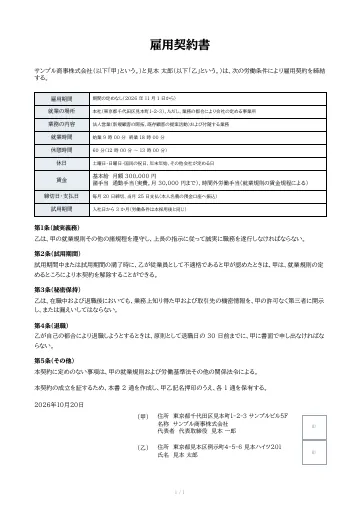
Employment contract
An employment contract between the company (Party A) and the employee (Party B), with fields for employment period, place of work, duties, working hours and wages, a body of clauses, and name and seal boxes for both parties.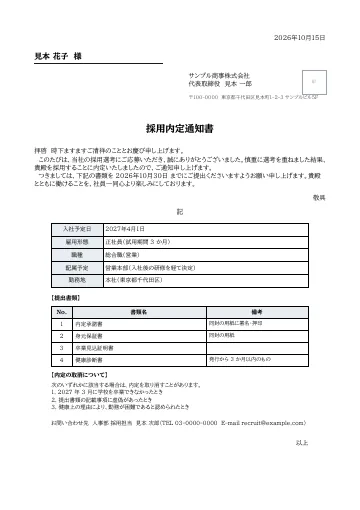
Job offer letter
A job offer letter with a formal Japanese body, fields for start date, employment type, position, department and workplace, a list of documents to submit, conditions for withdrawing the offer, and a contact.
Early access is open
We are preparing for launch. Pre-register and we will notify you when the service becomes available.